
monsterbrain
A brain for you and your AI agents
A brain for people and AI agents: knowledge, concepts and results in one clear folder structure.
Why monsterbrain

Working with AI agents often feels like working with a very clever colleague
who has no memory. Every session starts from zero. What you explained
yesterday is stuck in an old chat, in a CLAUDE.md that keeps growing, or in
the comments on a pull request. And at some point nobody knows any more what
of it was confirmed and what was just a draft.
I run danwos with AI agents that take care of product, tech, marketing and legal. They need one place where they all find the same knowledge – and where it is clear what holds. That is where monsterbrain comes from: a single folder that people and agents read and maintain alike.
One folder, clear layers
monsterbrain is not a program with a database but a folder structure of plain Markdown, YAML and JSON, versioned with Git. Every layer has a clear job and clear rules about who may read and write there.
| Folder | What lives there | Who writes |
|---|---|---|
20_facts |
the verified truth, binding wording included | only through an approval |
10_concepts |
work in progress, one folder per concept | freely, in your own concept |
30_outputs |
finished results: PDFs, slides, pages | store only |
40_sources |
evidence and third-party material, unchanged | store only |
50_assets |
logos, fonts, templates | after asking |
90_archive |
closed concepts, legacy material | only by moving |
00_system |
agents, skills, templates, scripts | after asking |
Every file starts with a short summary. An agent reads that first and then decides whether to read on. That saves tokens and keeps the context lean.
How knowledge grows
Agents never write straight into the facts. They work in a concept and collect
evidence, drafts and open questions there. Only when you approve the concept
does the skill close-concept hand out the results: findings move into the
facts, finished files into the outputs, the concept into the archive.
Every fact lives in exactly one place. When two statements contradict each other, the agent reports it instead of guessing.
Agents and skills
Every role is a single Markdown file: what it does, what it reads, where it may write. Tools like Claude Code load these files directly, there is no second configuration. Recurring workflows are skills – starting a new project, closing a concept.
On top of that there is a fixed reading order: the rules first, then the index of the matching folder, then only the summaries, and single files last. The agent quickly finds what it needs without reading the whole folder.
Work and private life, cleanly separated

One brain, several worlds: company, club, house and family can all live in the same monsterbrain, each in its own area. The areas share nothing, each has its own rules, its own roles and, if needed, its own language. An agent always works in exactly one area and does not see the others.
In mine, the company and the founding of a club sit side by side without anything getting mixed up.
See how it all connects
Folders and files are ideal for agents, but tiring for people in the long run. So monsterbrain gets a viewer: the file tree on the left, the rendered file in the middle. Top right, a graph shows what the file links to and what links to it, with its metadata below – status, tags, layer, last commit.
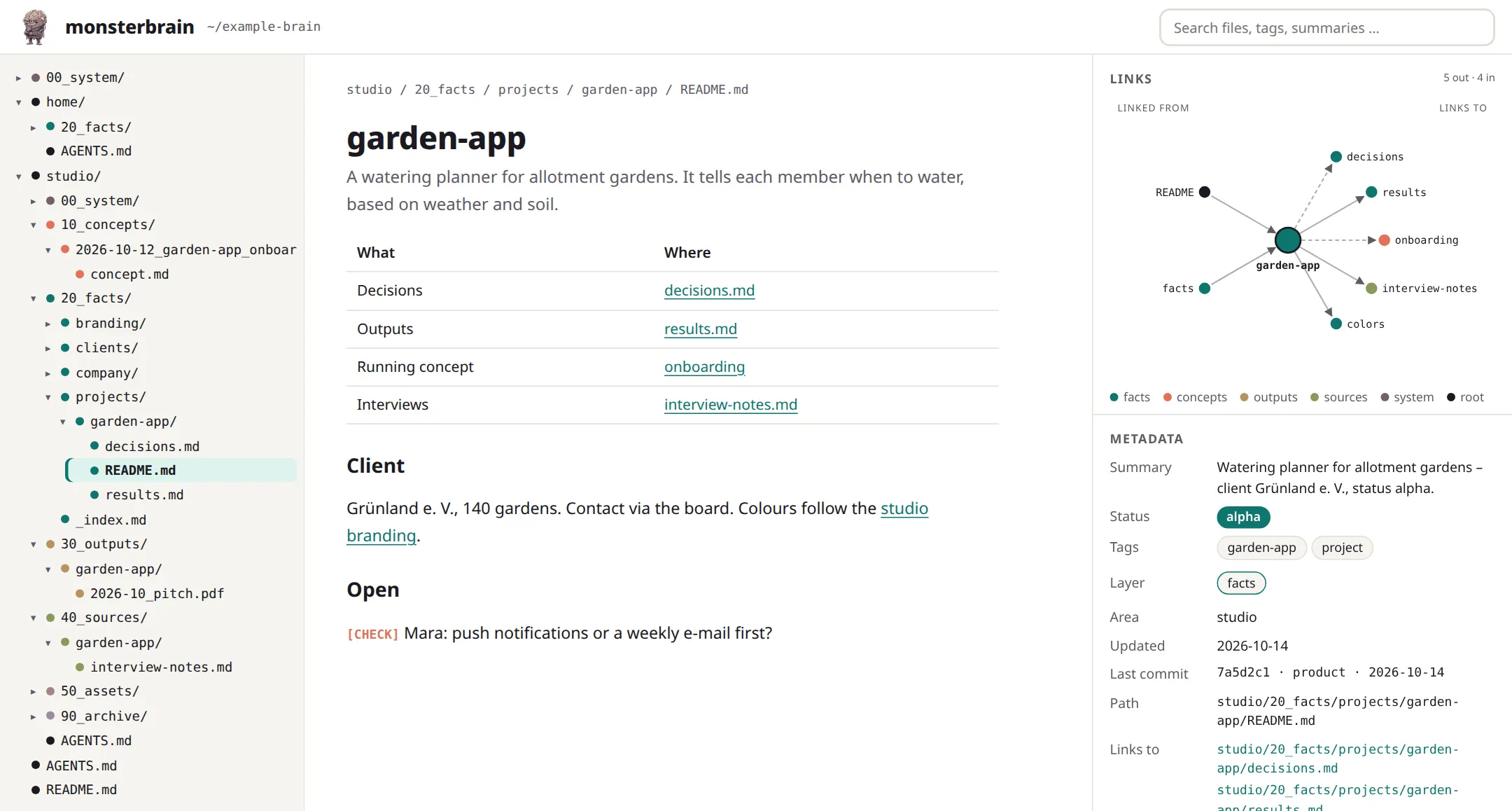
One click on a link or a node in the graph and you are in the next file. The colours show the layer, so you see at a glance whether a fact is properly backed and which concept is working on it right now.
Together with deciwa
Agents write a lot, and in the end you have to approve it. Together with deciwa that goes faster: you review right on the file, give feedback or confirm a statement, and monsterbrain knows what of it holds.
What’s in the repository
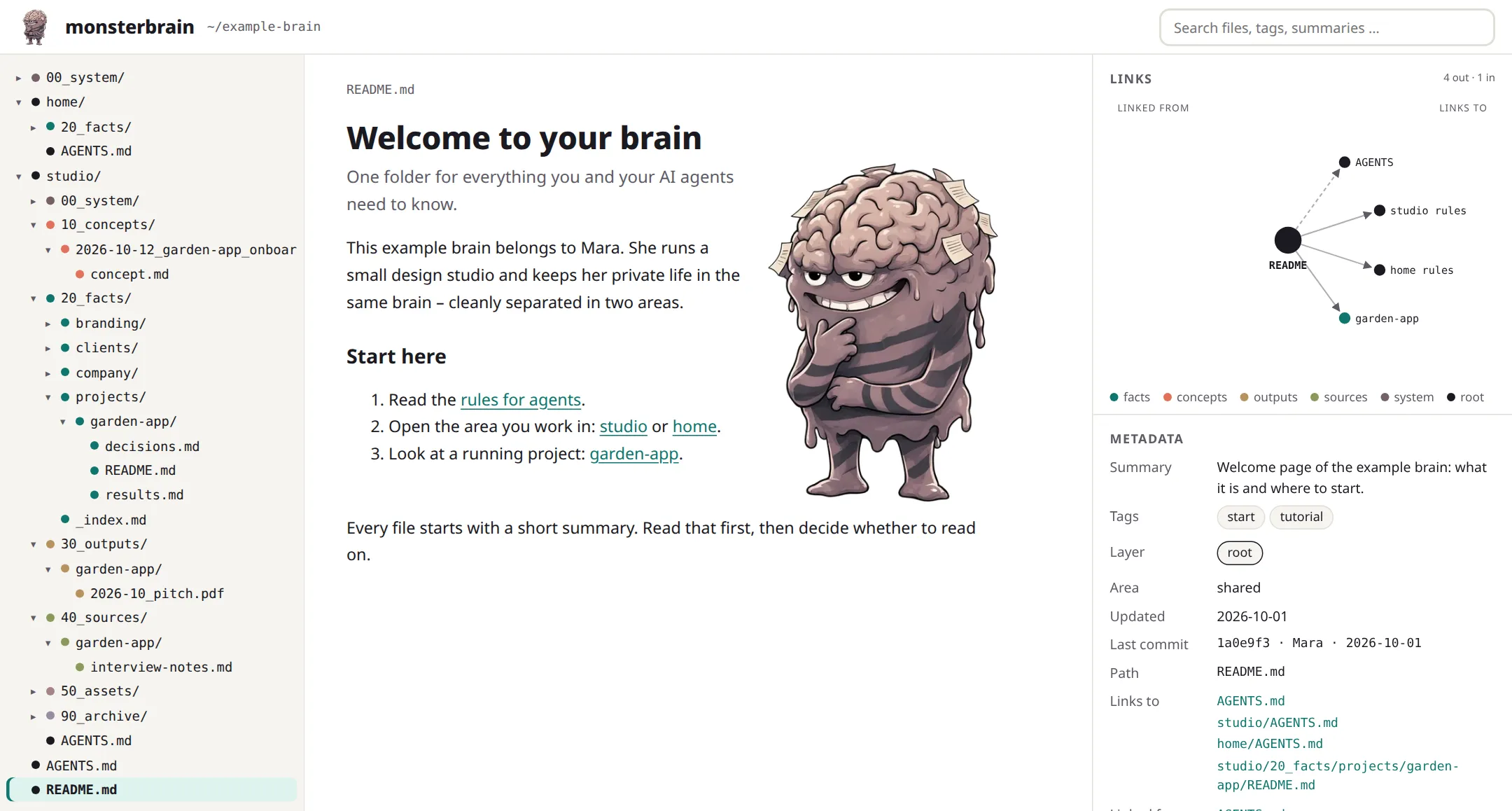
The repository contains the complete structure to get started: the folders, the rules for agents, templates, skills, roles and a few scripts. It also ships an example brain with made-up content – a small design studio and a private area. It shows how everything fits together, the tutorials build on it, and it doubles as test data.
example-brain/
├── AGENTS.md          rules for all agents
├── README.md          start here
├── 00_system/         skills, templates, scripts
├── studio/            the company
│   ├── AGENTS.md
│   ├── 00_system/agents/
│   ├── 10_concepts/
│   ├── 20_facts/
│   ├── 30_outputs/
│   ├── 40_sources/
│   ├── 50_assets/
│   └── 90_archive/
└── home/              private, cleanly separated
The texts are under the MIT licence. The monsterbrain pictures live in a separate folder with their own licence and stay protected.
Status

The brain itself runs every day on my side – this website was planned and built in it. The repository to get started, the viewer and the connection to deciwa will follow. In blog posts I will explain the parts one by one.