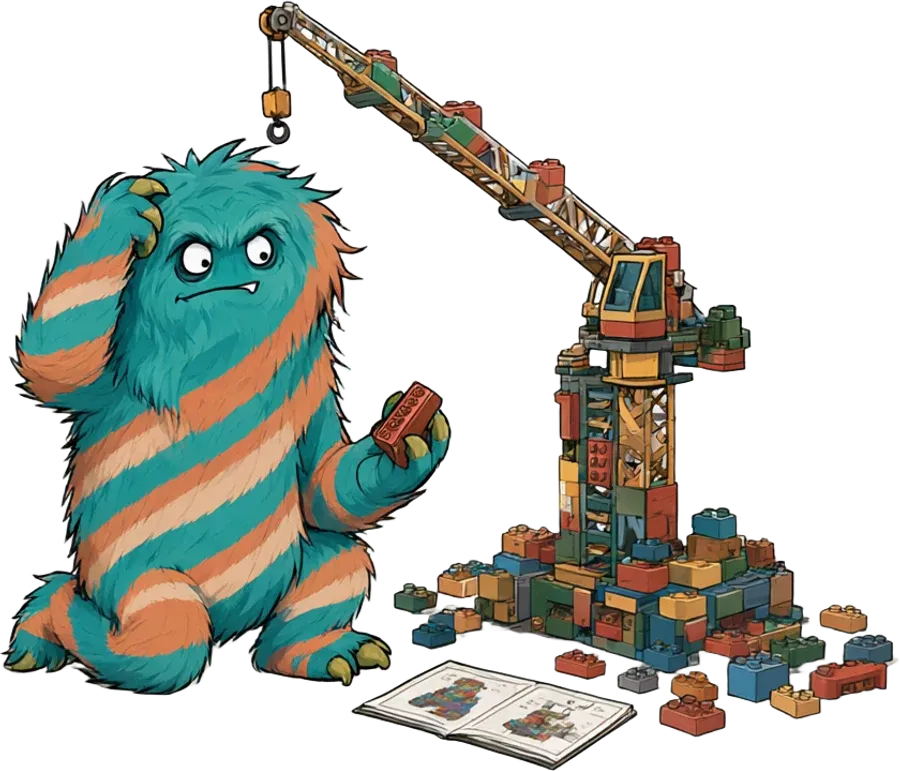
Views
Good views make complex relations clear in seconds; bad ones hide them. I care about how to show information, data structures and workflows from large projects so that people sense problems instead of having to read them.
One pull request, many eyes
For a developer, a pull request is mostly code and green tests. For me, a lot more hangs on it: the feature itself, UI and UX, the docs, the marketing colors, code quality and maintainability, how deep and how good the tests really are, whether the requirements are met or quietly drifting away – and quite a bit more.
Showing all of that in a way you grasp quickly is a challenge. For a single pull request, dashboards and comments do the job. But once I want to keep an eye on dozens of pull requests across a whole product, it gets hard. What’s left are dashboards for single checks – never everything at once.
The needle in the haystack
In the end I’m looking for the needle in the haystack. And it looks different for every role:
| Role | The needle |
|---|---|
| Developer | the one red test among a hundred green ones |
| Project lead | the feature that has been stuck for days |
| Test | the change that is barely tested |
| Customers | the requirement that wasn’t implemented |
| Marketing | the wrong color in the new screen |
| Legal | the new license in the dependencies |
| Controlling | the effort that is getting out of hand |
Reading is slow
I believe reading words is one of the poorer ways to take in a situation. When a hundred pull requests say “ok”, “in progress”, “backlog” and “cancelled” in the status column, the one row that says “failure” is hard to find. As a color or an icon, it jumps right out.
- #1201 ok
- #1202 in progress
- #1203 ok
- #1204 ok
- #1205 backlog
- #1206 ok
- #1207 in progress
- #1208 backlog
- #1209 backlog
- #1210 ok
- #1211 in progress
- #1212 cancelled
- #1213 ok
- #1214 in progress
- #1215 ok
- #1216 in progress
- #1217 ok
- #1218 cancelled
- #1219 ok
- #1220 backlog
- #1221 ok
- #1222 cancelled
- #1223 ok
- #1224 in progress
- #1225 ok
- #1226 in progress
- #1227 ok
- #1228 ok
- #1229 ok
- #1230 ok
- #1231 in progress
- #1232 cancelled
- #1233 ok
- #1234 in progress
- #1235 backlog
- #1236 ok
- #1237 backlog
- #1238 backlog
- #1239 ok
- #1240 in progress
- #1241 ok
- #1242 ok
- #1243 ok
- #1244 cancelled
- #1245 ok
- #1246 ok
- #1247 ok
- #1248 ok
- #1249 in progress
- #1250 ok
- #1251 in progress
- #1252 ok
- #1253 ok
- #1254 ok
- #1255 ok
- #1256 ok
- #1257 ok
- #1258 backlog
- #1259 ok
- #1260 cancelled
- #1261 ok
- #1262 ok
- #1263 backlog
- #1264 ok
- #1265 ok
- #1266 ok
- #1267 cancelled
- #1268 failure
- #1269 ok
- #1270 ok
- #1271 ok
- #1272 ok
- #1273 ok
- #1274 ok
- #1275 in progress
- #1276 in progress
- #1277 ok
- #1278 backlog
- #1279 in progress
- #1280 ok
- #1281 ok
- #1282 in progress
- #1283 cancelled
- #1284 backlog
- #1285 ok
- #1286 ok
- #1287 in progress
- #1288 ok
- #1289 ok
- #1290 ok
- #1291 backlog
- #1292 in progress
- #1293 ok
- #1294 ok
- #1295 cancelled
- #1296 ok
- #1297 backlog
- #1298 backlog
- #1299 in progress
- #1300 ok
- !
- ok
- in progress
- backlog
- cancelled
- failure
Feel it, don’t read it
That’s where my motive comes from: problems should be something you sense and feel intuitively. I don’t want to have to read to understand a situation.
So besides text, visual cues matter most – colors, shapes and structures. With large amounts of data, depth helps too: a space in 3D instead of flat text in a table. Sound could play an important role as well, but in everyday office life it’s hard to fit into the workflows.
Patterns everyone knows
When it comes to showing things, I like to borrow ideas and concepts that already exist, because people understand them intuitively. Almost anyone can read a road map and make sense of its structures and colors: wide roads, dense cities, empty land in between. Apply that kind of view to other data, and you quickly get a feel for a topic.
With Horus I tried this playfully on real Sphinx-Needs data. The needs stand in space as a glowing city: every group a tower, every need a floor, the color shows the status. Schema violations glow red – you see them from afar without reading a single line.
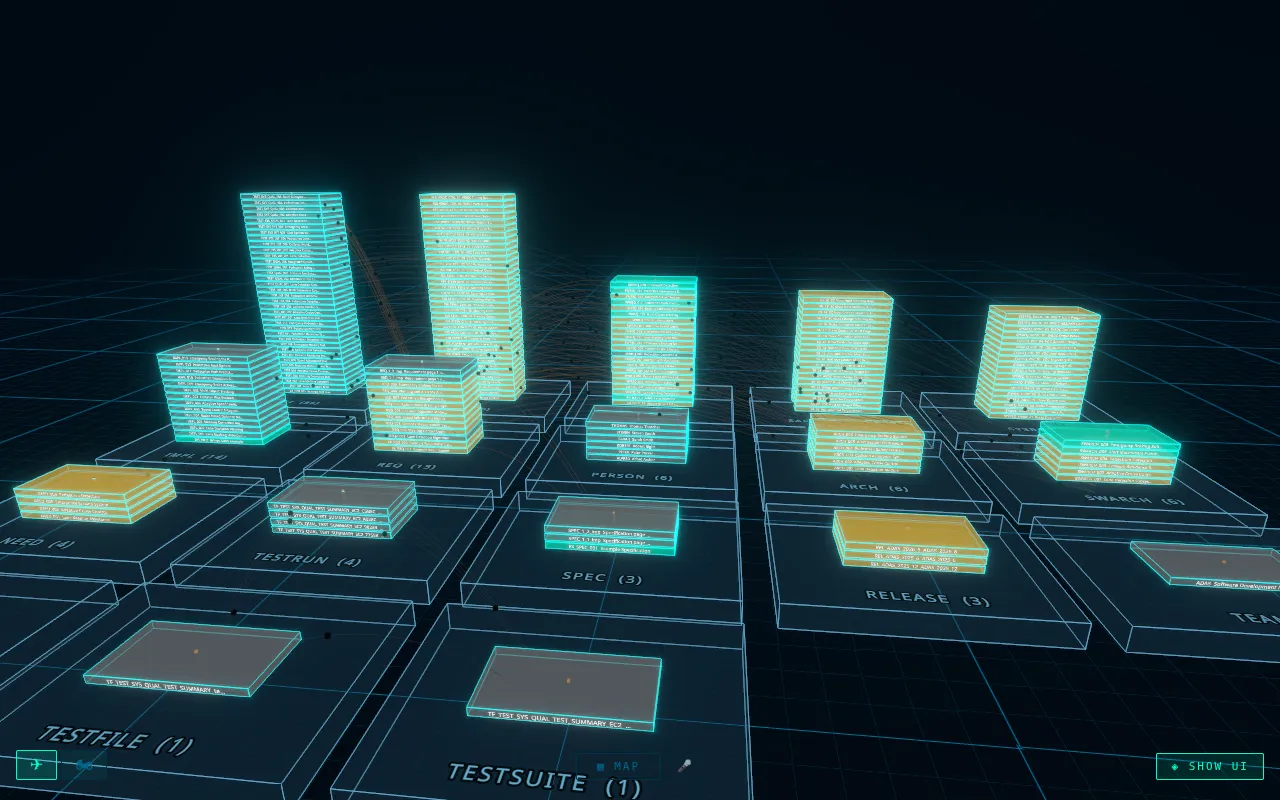
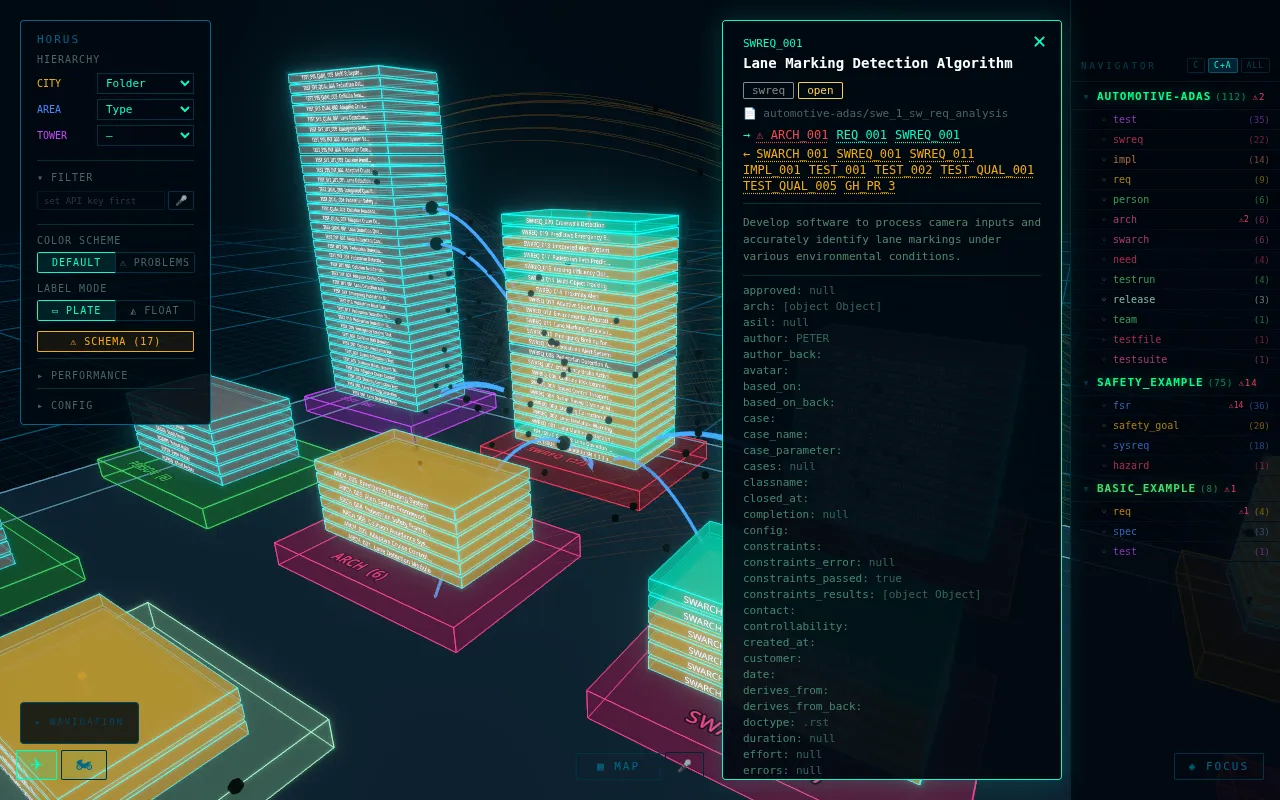
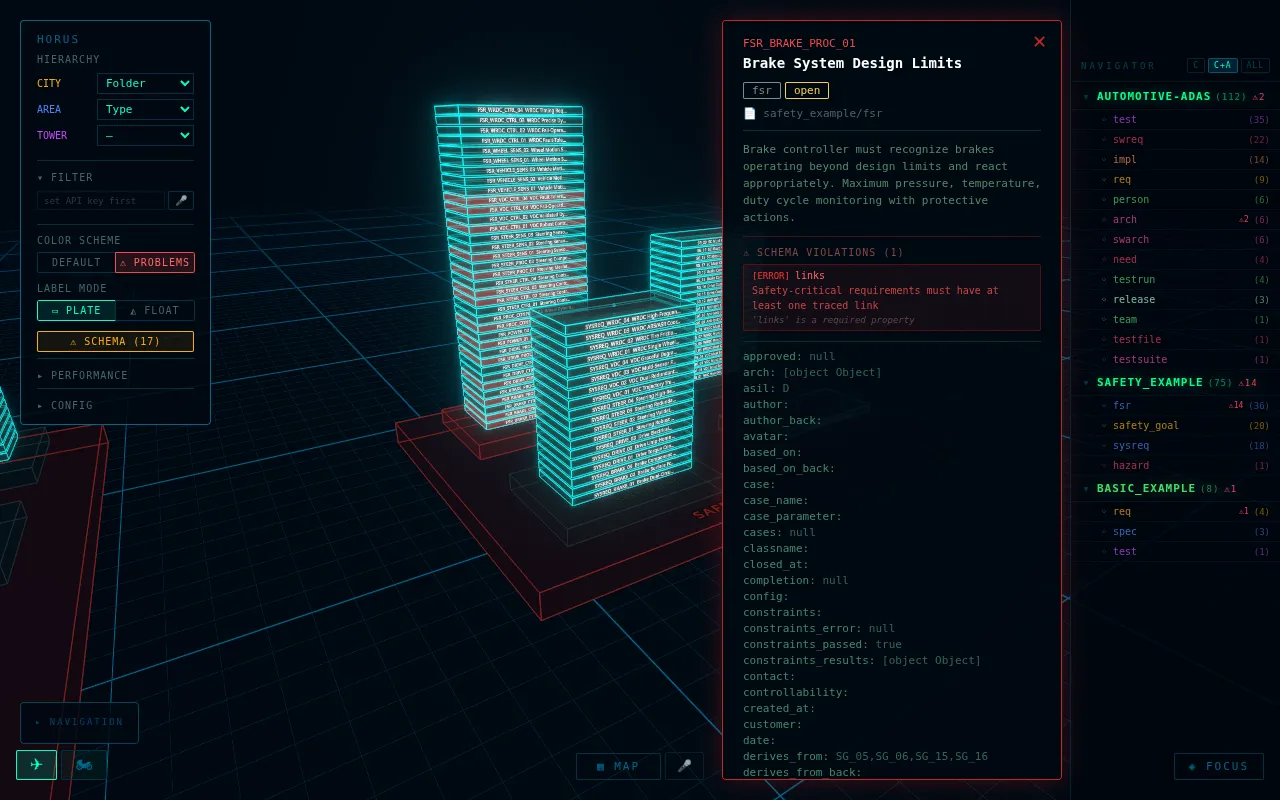
The video and a closer look at how Horus works are on the Horus tool page.
What science fiction already knew
A strong source of ideas for me are the computer interfaces in science fiction movies and series. Be it the colorful 2D layout of the consoles in Star Trek or the 3D networks in which the android brains in “Ghost in the Shell” think.
Often the ideas are pretty far out – and they show up surprisingly early. In the 1995 classic “Hackers”, files rise up as 3D towers, and a virus runs across the screen as a cookie monster.
Today AI delivers data in amounts that people have to review, check and approve. Every idea has to be welcome there, no matter how much it breaks with the current state of things.
A pull request to turn around
A small experiment shows what this could look like: a pull request as a roll. Every disc is a quality criterion – tests, docs, requirements, legal and more. Every disc is split again into pie pieces, the tests for example into unit, integration and system. The color shows how well each piece is doing.
From the outside you see at a glance whether something glows red anywhere. Only when you want to look closer do you pull the roll apart and read what’s behind it.
- Tests: Unit 92, Integration 81, System 64
- Docs: API 88, User guide 72, Changelog 95
- Requirements: Coverage 86, Drift 68, Traceability 91
- Code quality: Complexity 82, Duplication 90, Style 97
- Maintainability: Coupling 76, Dependencies 84
- UI & UX: Accessibility 63, Consistency 85, Brand colors 93
- Security: Vulnerabilities 89, Secrets 100, Static analysis 79
- Legal: Licenses 34, Copyright notices 90
Dozens of pull requests at once
One roll helps with one pull request. It gets interesting with dozens. Here, 48 pull requests from four layers of a product stand in space – app, service, library and platform –, connected wherever one depends on another. Most of them are green. Where it turns red and orange, you see it right away, even among all the others. One click brings the roll up close.
- PR #1401, App: lowest score Tests · Unit 78
- PR #1402, App: lowest score Code quality · Duplication 77
- PR #1403, App: lowest score Security · Vulnerabilities 69
- PR #1404, App: lowest score Tests · System 85
- PR #1405, App: lowest score Docs · API 85
- PR #1406, App: lowest score Legal · Copyright notices 67
- PR #1407, App: lowest score Requirements · Traceability 25
- PR #1408, App: lowest score Legal · Copyright notices 86
- PR #1409, App: lowest score Tests · System 67
- PR #1410, App: lowest score Tests · Unit 76
- PR #1411, App: lowest score Legal · Licenses 69
- PR #1412, App: lowest score Docs · API 85
- PR #1413, Service: lowest score Tests · Unit 84
- PR #1414, Service: lowest score UI & UX · Brand colors 68
- PR #1415, Service: lowest score Tests · Integration 85
- PR #1416, Service: lowest score Security · Secrets 84
- PR #1417, Service: lowest score Tests · Unit 70
- PR #1418, Service: lowest score Security · Static analysis 69
- PR #1419, Service: lowest score Legal · Licenses 85
- PR #1420, Service: lowest score Docs · User guide 84
- PR #1421, Service: lowest score Docs · User guide 67
- PR #1422, Service: lowest score UI & UX · Brand colors 25
- PR #1423, Service: lowest score Docs · User guide 84
- PR #1424, Service: lowest score UI & UX · Consistency 73
- PR #1425, Library: lowest score Maintainability · Coupling 85
- PR #1426, Library: lowest score Docs · API 85
- PR #1427, Library: lowest score Code quality · Style 79
- PR #1428, Library: lowest score Security · Secrets 85
- PR #1429, Library: lowest score UI & UX · Consistency 66
- PR #1430, Library: lowest score Maintainability · Dependencies 84
- PR #1431, Library: lowest score UI & UX · Consistency 84
- PR #1432, Library: lowest score Maintainability · Dependencies 85
- PR #1433, Library: lowest score Security · Static analysis 84
- PR #1434, Library: lowest score Docs · User guide 85
- PR #1435, Library: lowest score Code quality · Complexity 85
- PR #1436, Library: lowest score Docs · Changelog 69
- PR #1437, Platform: lowest score Tests · System 85
- PR #1438, Platform: lowest score Docs · User guide 86
- PR #1439, Platform: lowest score UI & UX · Consistency 85
- PR #1440, Platform: lowest score Tests · System 26
- PR #1441, Platform: lowest score Docs · Changelog 70
- PR #1442, Platform: lowest score Docs · API 70
- PR #1443, Platform: lowest score Requirements · Traceability 78
- PR #1444, Platform: lowest score Tests · System 85
- PR #1445, Platform: lowest score Tests · Integration 84
- PR #1446, Platform: lowest score Code quality · Duplication 67
- PR #1447, Platform: lowest score Requirements · Traceability 84
- PR #1448, Platform: lowest score Maintainability · Coupling 84
Working inside the data

Virtual reality headsets could carry this new world, and with them other models for the desk and the workplace. Instead of tables on two screens, the project surrounds you as a space – and the problem glows right where it is.
Tools for views and visualization
I’ve built some of this already. Horus is the city of needs. Sphinx-Preview shows what’s behind a link when you hover over it, without leaving the page. Sphinx-Data-Viewer turns large JSON data into a tree that you unfold only as far as you need.